Yahoo Finance: Stocks & News
- 4.6
- Rating
- 10.00M
- Installs
- Free
- Price

 Analysis by App-foxy
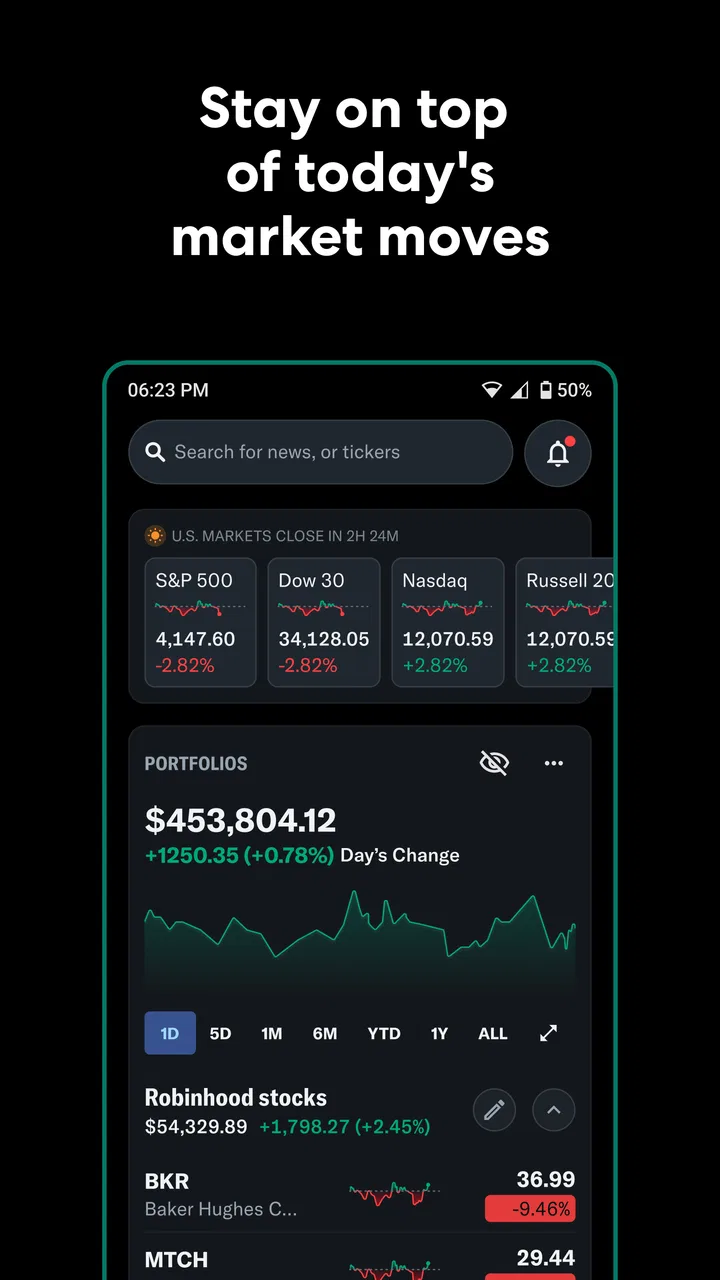
I use Yahoo Finance as a quick market dashboard rather than as a complete replacement for a broker or a dedicated investment journal. Its strongest quality is the way it brings financial news, market prices, crypto information, and portfolio tracking into one place. That combination matters because investment decisions rarely depend on a chart alone. I usually want to know what moved, why it moved, and whether the change affects something I already follow.
Developed by Yahoo, this free finance app is aimed at people who want a practical view of the market on a phone. It has reached more than ten million installs, with a 4.6 average from roughly 238 thousand ratings and about 46 thousand written reviews. Those figures suggest a mature product with a broad audience, but they do not mean it will suit every investing style. In my experience, its value depends on whether you want fast context and organized watchlists, or highly specialized analysis and execution tools.
Why the combined news and portfolio view is useful
I find the combined view most useful when I want to connect a market move with the assets I actually follow, rather than browse headlines in isolation. It gives me a practical starting point for deciding what deserves a closer look, while keeping research separate from trading decisions. The next section looks at how that workflow fits into the short, interrupted moments when I typically check markets on a phone.
You May Also Like

 Blood Strike: 2.5 Anniversary
Blood Strike’s Loadouts Turn Every Drop Into a Tactical Gamble
A close look at Blood Strike’s custom loadouts: how fast access to signature weapons reshapes its battle royale rhythm, rewards preparation, and narrows the gap between fights.

 Pandora - Music & Podcasts
Pandora’s Music Is Easy to Start, but Harder to Recover
Pandora’s strength is its low-effort path from a seed to a station. Its weak spot is how much confidence it asks you to place in connection, setup, and quiet recovery.

 8 Ball Pool
 Is Built on Rivalries, Rematches, and Routine
A close look at the rivalries, rematches, shared routines, and unanswered safety questions that turn a quick pool match into a persistent mobile community.

 Samsung Music
’s Quiet Strength Is Playing What You Already Own
Its reach comes less from spectacle than from dependable access to a personal library. That simplicity is both the app’s strongest retention engine and its ceiling.

 AccuWeather: Weather Radar
AccuWeather Review: A Quick, Clear Forecast for Everyday Decisions
For everyday plans, the best forecast is the one you can understand quickly. AccuWeather makes rain timing, radar, and local conditions easy to act on, with a few trade-offs.

 Hill Climb Racing
Why Hill Climb Racing Still Turns Crashes Into One More Run
A tiny car, a bumpy hill and one more upgrade: Hill Climb Racing keeps resurfacing because its simple chaos makes every near-miss feel personal.
More From Our News Desk



The capability that makes the app stand out
The most useful capability is the connection between a watchlist, market information, and personal holdings. Many finance apps show prices well, while news apps provide headlines, but Yahoo Finance makes it natural to move from an asset you are watching to the information surrounding it. I find that especially helpful when a stock suddenly changes direction and I need a starting point for understanding the move.
This is more useful than simply opening a general news feed. A broad financial feed can contain plenty of stories that have nothing to do with the companies or funds I care about. By organizing the experience around selected symbols and portfolio entries, the app gives me a more focused reading path. The result is not a ready-made investment decision; it is a faster way to collect the background before deciding what deserves deeper research.
The same idea works for crypto tracking. Someone who follows both traditional markets and digital assets does not have to maintain separate basic dashboards for each area. That does not turn the app into a specialist crypto terminal, but it does make mixed-market monitoring less fragmented. I appreciate that convenience when I want a broad view without switching between several applications.
There is also a psychological benefit to keeping a watchlist separate from a portfolio. A watchlist can contain possibilities, competitors, or sectors I am merely studying. A portfolio should represent actual positions or a tracking model. Keeping those purposes distinct helps prevent every interesting headline from feeling like a reason to buy. The app supports that kind of separation in a simple, understandable way.
How I use it during a normal week
I begin by choosing a small group of symbols that matter to me instead of adding every company that appears in the news. A focused watchlist is easier to interpret, and it keeps the main screen from becoming a noisy list of unrelated price changes. I then use the news connected to those entries as a prompt for further reading, not as a substitute for checking company documents or understanding the broader market.
When I add portfolio information, I treat it as a tracking workspace. This is an important distinction: the app helps me follow performance and organize information, but it is not the same thing as placing an order through a broker. If I am ready to trade, I still need the appropriate brokerage service and its own confirmation process. That separation is reassuring because it reduces the chance of confusing a research screen with an execution screen.
A useful habit is to check the portfolio after reviewing the relevant news, rather than looking at the percentage change first and reacting emotionally. Seeing a holding fall can create an urge to act immediately. Reading the surrounding context first encourages a more measured question: is this a temporary market movement, a company-specific development, or simply noise? The app cannot answer that question for me, but it makes the sequence easier to follow.
I also avoid treating every headline as equally important. Financial news often includes commentary, forecasts, opinion, and short-term market reactions. I use the app to identify what deserves attention, then compare the story with the company’s own announcements and other reliable material. That workflow is one of the app’s real strengths: it reduces the time needed to find a starting point, while leaving judgment with the user.
A realistic everyday scenario
Imagine checking your phone before work and noticing that a company on your watchlist has moved sharply. Instead of searching the company name across several websites, you open its entry, review the latest related coverage, and compare the move with other assets you follow. If the whole sector is moving, the explanation may be broader than one company. If only one holding is affected, you know where to focus your next step.
Later, during a lunch break, you can review the portfolio view and see whether the event changes your overall exposure. That is more useful than watching a single price in isolation. A small move in one holding may not matter much if it represents only a limited part of your investments, while a modest change in a large position may deserve more attention. The app helps with that perspective because it puts the holding and its surrounding information close together.
For a long-term investor, this routine can remain deliberately brief. I would rather use the app for a few focused checks than refresh it constantly. Frequent checking can turn useful information into distraction, especially when short-term market movement does not match a long-term plan. Yahoo Finance works best when it supports a routine instead of becoming the routine.
Practical details before installing
The app is free to download and is rated for Everyone 10+. It includes in-app purchases ranging from five dollars to 479 dollars per item, so I would review any upgrade or paid option carefully before confirming it. The free entry point makes it easy to test the basic experience, but users should not assume that every available function follows the same no-cost model.
Yahoo Finance was released on October 4, 2010, which helps explain why it feels like an established finance product rather than a newly assembled news reader. Its long presence also means that users may encounter a broad mix of market information and interface areas. I recommend spending a few minutes arranging the watchlist and portfolio view at the start; otherwise, the app can feel more crowded than it needs to be.
Where the convenience has limits
The biggest trade-off is that an all-purpose market app cannot provide the same depth as a specialist tool in every area. If you need advanced chart studies, detailed financial modeling, professional-grade screening, or a highly specialized trading interface, you may prefer a dedicated platform. Yahoo Finance is strongest as an information and tracking layer, not as an all-in-one professional workstation.
News can also create a false sense of understanding. A headline may explain the immediate market mood without explaining the long-term business situation. I have found it easy to read several short updates and feel informed while still lacking the numbers or primary documents needed for a serious decision. The app is therefore better for orientation than for final conviction.
Portfolio tracking has its own discipline requirement. The usefulness of the view depends on entering and maintaining information accurately. If the portfolio does not reflect what I actually own or how I want to measure performance, the resulting picture can be misleading. I would not use a convenient tracking screen as a replacement for checking statements, tax records, or the official records from a broker.
Another limitation is attention. Combining prices, headlines, crypto movements, and portfolio changes can encourage constant checking. That may be helpful for an active observer, but it can be counterproductive for someone with a long-term plan. Notifications and frequent market updates are only valuable when they lead to an intentional action, such as researching a company or reviewing an allocation. Otherwise, they add emotional pressure without improving decisions.
When another option is better
If your main goal is to buy and sell securities, use a broker’s own application as the primary tool. Execution, order status, account security, and official transaction records belong there. Yahoo Finance can still complement that service by helping you follow news and maintain a broader watchlist, but I would not choose it solely because it displays market information attractively.
If you are building a detailed investment thesis, a spreadsheet or specialist research platform may be more suitable. Those tools can make assumptions visible and allow you to test scenarios in a way a news-centered mobile app is not designed to do. I also would not recommend relying on this app alone for tax planning, retirement projections, or complex portfolio construction.
On the other hand, replacing it with several narrow apps can create unnecessary friction. A separate stock tracker, crypto tracker, and financial news reader may each be good at one job, but switching among them makes it harder to connect an event with its effect on the assets you follow. For many casual investors, that lost context is a bigger problem than the lack of advanced specialist functions.
Who gets the most value from it
I think the app is particularly useful for a person who follows a manageable set of stocks, funds, or crypto assets and wants one mobile place to check them. It also suits someone who is learning how markets connect: a price change can lead to a company story, a sector movement, or a broader market event. The app gives that learning process a practical structure without requiring a complicated setup.
It can also help experienced investors who already have a broker and simply want a convenient secondary dashboard. In that role, it saves time and keeps research separate from trading. The best users are not those who expect the app to make decisions for them, but those who know how to turn a headline into a question and then investigate that question properly.
Beginners should approach the portfolio feature with care. It is tempting to treat a displayed gain or loss as a verdict on whether an investment was good or bad. I would instead use it to observe patterns, compare positions, and learn how market events affect a personal collection of assets. Starting with a small watchlist and clear notes about why each item is there makes the experience more educational.
People who dislike financial news, want only automated investing, or prefer not to monitor markets may gain little from it. The app is built around staying informed, so its advantages become less meaningful if you do not intend to read or review what it shows. Likewise, users demanding institutional-level analysis should look elsewhere rather than expecting a general mobile finance app to become a professional terminal.
My recommendation after using it
My overall view is positive, with one condition: use Yahoo Finance as a research companion and tracking workspace, not as an authority. Its central strength is the practical link between market movement, related news, watchlists, and portfolio context. That link makes everyday monitoring faster and more coherent than jumping between unrelated services.
I would install it if I wanted a free starting point for following stocks, crypto, and financial news in one place. I would organize it carefully, keep the watchlist selective, and verify important information through primary sources before acting. I would also remember that portfolio tracking is only as reliable as the information entered into it.
For me, the app earns its place on a phone because it answers the first question that appears when a market move catches my attention: “What should I investigate next?” It does not remove the need for judgment, a broker, or deeper research. It simply makes that first step quicker and more organized, which is a meaningful advantage for everyday investors who want context without building an unnecessarily complicated setup.
FAQs for Yahoo Finance: Stocks & News
01What features does Yahoo Finance offer for tracking stocks?
Yahoo Finance provides a comprehensive suite of tools for tracking stocks, including real-time quotes, customizable watchlists, and detailed charts for technical analysis. Users can access company financials, historical data, and breaking news. The app also offers personalized alerts to keep you updated on stock price changes and news developments.
02Is Yahoo Finance suitable for beginners in stock trading?
Yes, Yahoo Finance is an excellent choice for beginners due to its user-friendly interface and educational resources. It offers tutorials, articles, and videos that explain market concepts. The app's intuitive design makes it easy for newcomers to navigate and understand stock trends and financial news without feeling overwhelmed.
03Does Yahoo Finance have any premium features, and are they worth it?
Yahoo Finance offers a premium subscription called Yahoo Finance Plus. This includes advanced charting tools, enhanced data analytics, and exclusive research reports. For active traders and those interested in deeper market insights, the premium features can be valuable. However, casual users may find the free version sufficient for basic market monitoring.
04Can you use Yahoo Finance to manage personal investments?
Absolutely, Yahoo Finance allows users to manage their personal portfolios by tracking investments, monitoring performance, and comparing against market indices. You can input your stock purchases, set alerts for price changes, and even calculate potential yields, making it a useful tool for both personal finance management and investment analysis.
05Is the Yahoo Finance app available for both Android and iOS devices?
Yes, the Yahoo Finance app is available for download on both Android and iOS devices. It provides a consistent user experience across platforms, ensuring that you can access your data and track the markets seamlessly, whether you're using a smartphone or tablet. The app is free to download from the Google Play Store and Apple App Store.
Pros
- Intuitive user interface for easy navigation.
- Comprehensive market data and insights.
- Customizable watchlists for tracking stocks.
- Real-time updates to keep users informed.
- Wide range of financial news coverage.
Cons
- Ads might interrupt user experience.
- Limited features in the free version.
- Some data may require subscription.
- Occasional lag in data refresh.
- User interface can be cluttered.

Yahoo Finance: Stocks & News
Gallery